PRESS KIT.
Everything you need to write about CueTheScene. Facts, boilerplate and brand assets, take what you need.
Fast facts
- What it is
- AI video production for long-form YouTube creators
- What it does
- Long-form YouTube videos from a topic prompt: script, voiceover, footage, captions, and a thumbnail, ready to publish.
- Formats
- Documentary and Listicle
- Video lengths
- any length from 3 to 60 minutes
- Pricing
- Paid subscription with four plans, plus pay-as-you-go credits. The first 100 customers get 30% off for as long as they stay subscribed.
- Operated by
- Carl Brindle, an independent UK developer
- Based
- United Kingdom
- Founder
- Carl Brindle
- Launch
- July 2026 (in test now)
- Website
- cuethescene.com
- Press contact
- hello@cuethescene.com
Boilerplate
Three lengths, copy-ready. Use whichever fits the space.
- One line23 words
CueTheScene turns a topic prompt into a publish-ready long-form YouTube video, script, voiceover, footage, captions and thumbnail.
- Short56 words
CueTheScene is an AI video production tool for long-form YouTube creators. You give it a topic and a format. It writes the script, records the voiceover, sources the footage, cuts the captions and makes the thumbnail, then hands back a publish-ready video. Built solo in the UK by Carl Brindle.
- Full116 words
CueTheScene is an AI video production tool for long-form YouTube creators. You give it a topic prompt and pick a format, Documentary or Listicle, and any length from 3 to 60 minutes. It writes the script, records the voiceover, sources real footage from stock and archive libraries, cuts the captions and generates the thumbnail, then hands back a publish-ready video. Every step stays editable, so the creator keeps control of the final cut. CueTheScene is built and run solo by Carl Brindle, an independent UK developer, as a paid subscription with pay-as-you-go credits. The first 100 customers get 30% off for as long as they stay subscribed.
Most AI video tools ship the first draft. The whole reason this exists is to ship the second.
Brand assets
The Cue-Mark C: a bold C with the projectionist’s cue-dot as an amber satellite, the name’s initial and the cinema cue on one mark. Preview it on a background, then copy or download the file you need.
Logomark Wordmark lockup Logomark, mono
The preview re-themes live. Downloads are the fixed-colour files: the dark and light marks keep the amber cue-dot, the mono mark is a single ink for tight or one-colour placements.
Clear space
- Keep clear space of at least the cue-dot’s height on every side.
- Minimum mark size: 24px. Below that the cue-dot stops reading.
- Never crop into the mark or sit text inside the clear space.
Colour
Warm paper and ink with a single amber accent, used sparingly. Click any value to copy.
- Spotlight AmberThe accent. Used once, like a director’s mark. On light surfaces use #B8651F.
- InkThe dark canvas.
- PaperText and marks on dark.
- OatMuted secondary text.
Typography
- AgFrauncesHeadings and displayPage titles, section headings
- AgBricolage GrotesqueBody and UIBody copy, forms, chrome
- AgJetBrains MonoData and codeNumerals, IDs, hex values
Using the mark
Do
- Use the supplied logo files exactly as they are.
- Keep clear space around the mark, at least the height of the cue-dot on every side.
- Place the mark on an approved background: dark, light, or the flat brand amber.
- Keep the wordmark in one ink. The amber belongs to the cue-dot.
Don’t
- Recolour the mark or repaint the cue-dot.
- Stretch, squash, rotate, or add shadows, outlines or other effects.
- Place the mark on a busy photo or a low-contrast background.
- Build the mark into your own logo, or imply that CueTheScene endorses you.
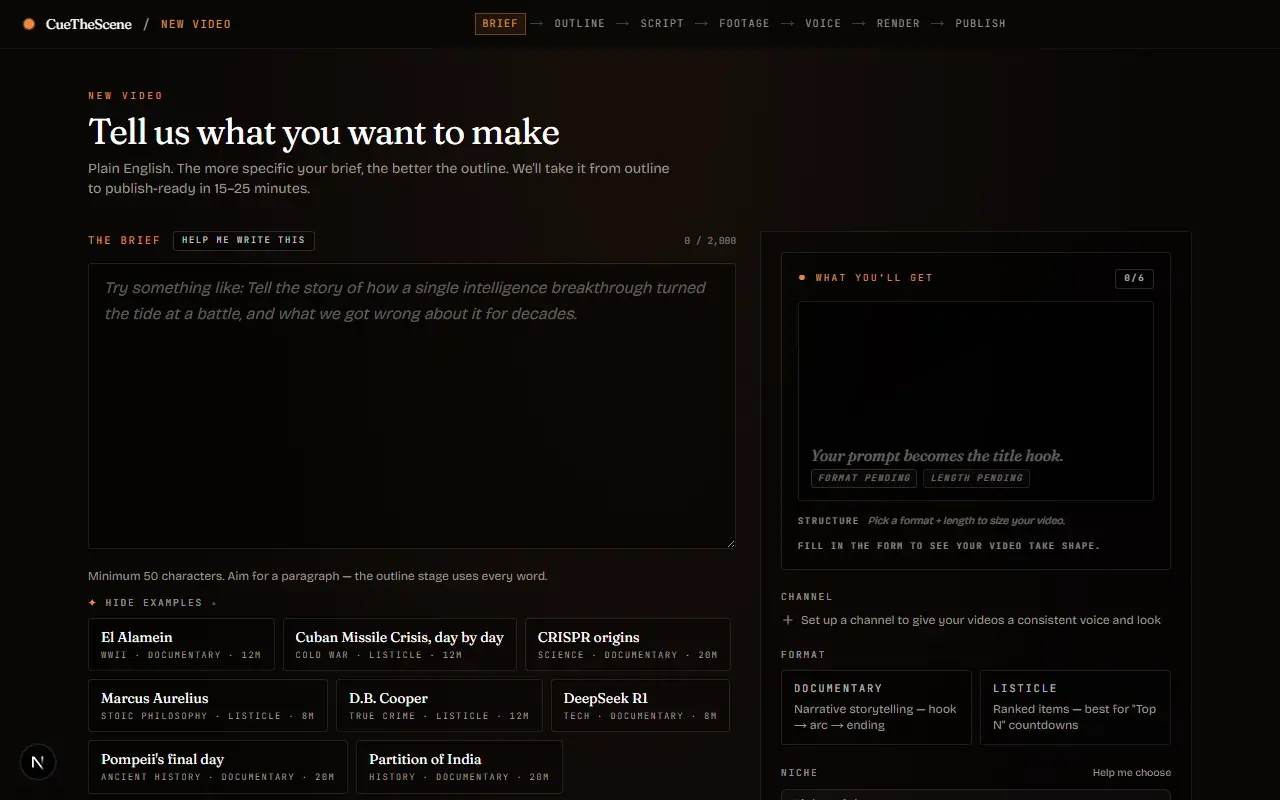
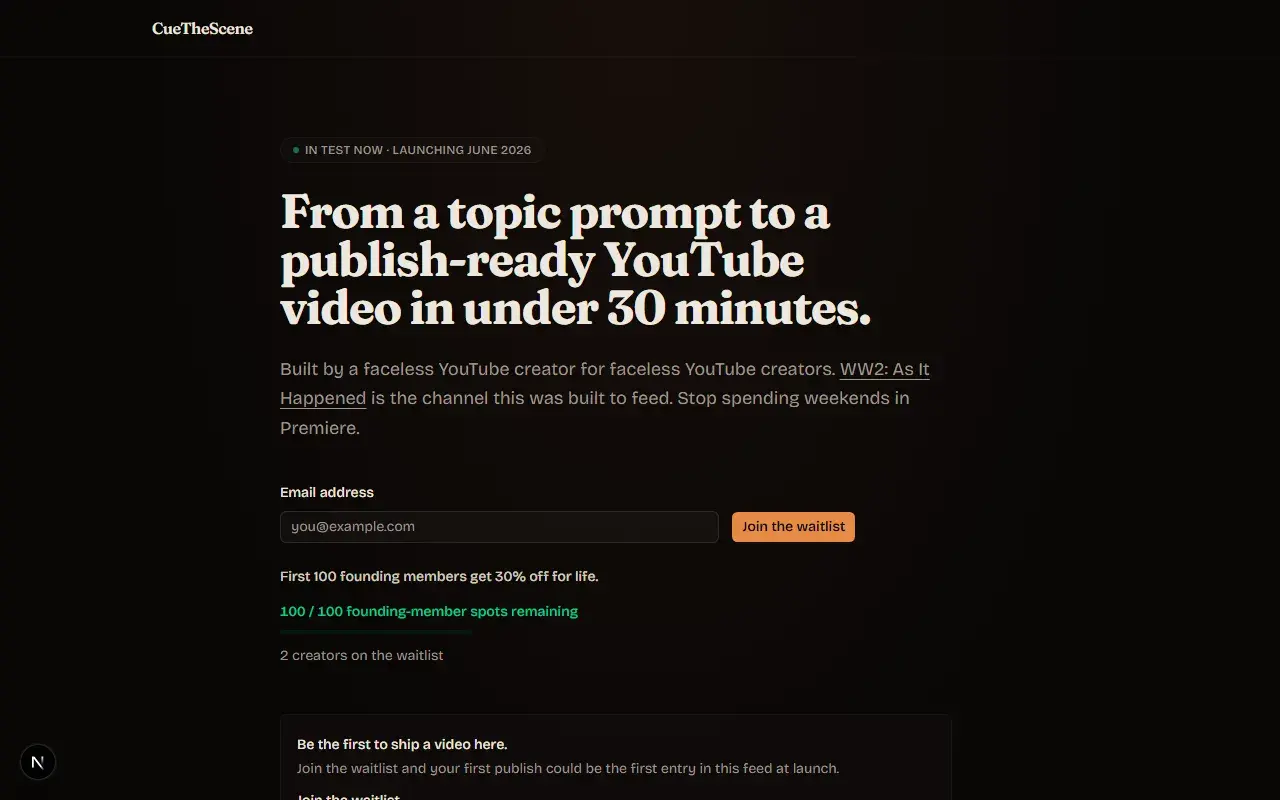
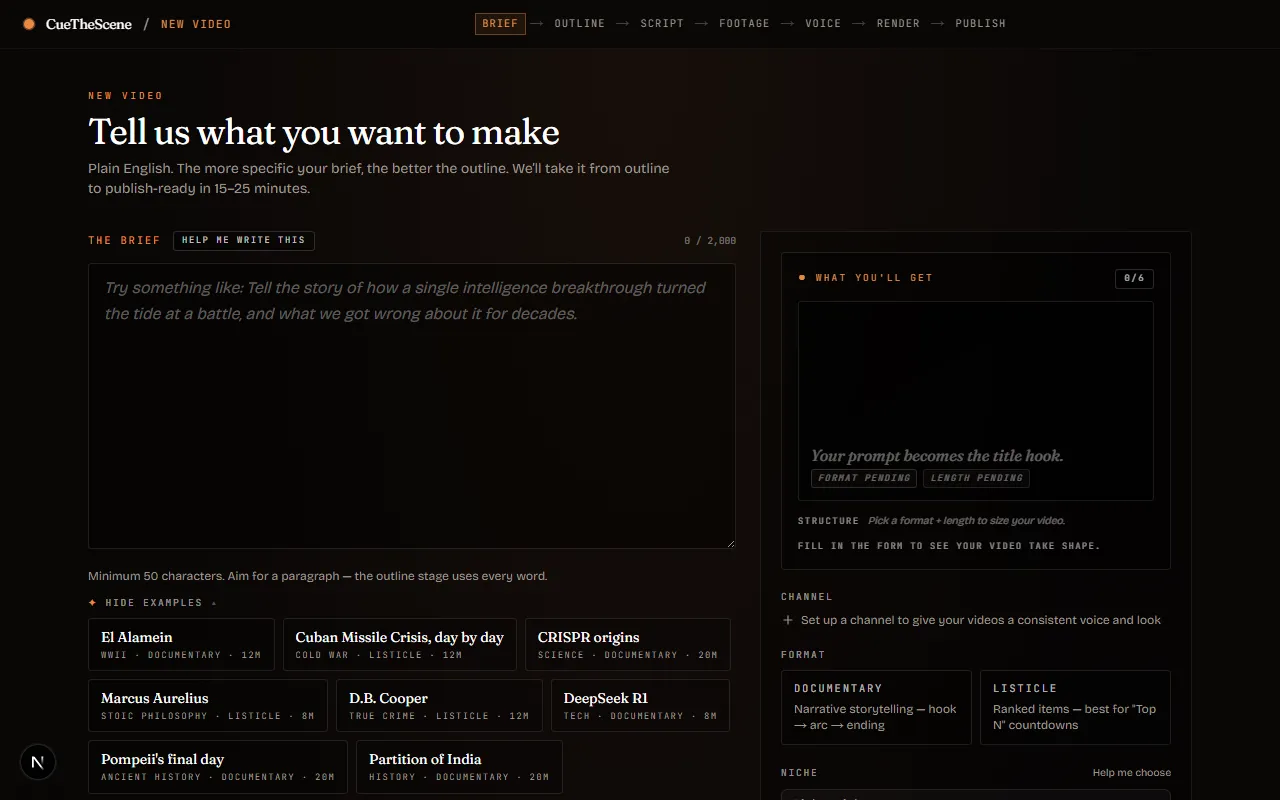
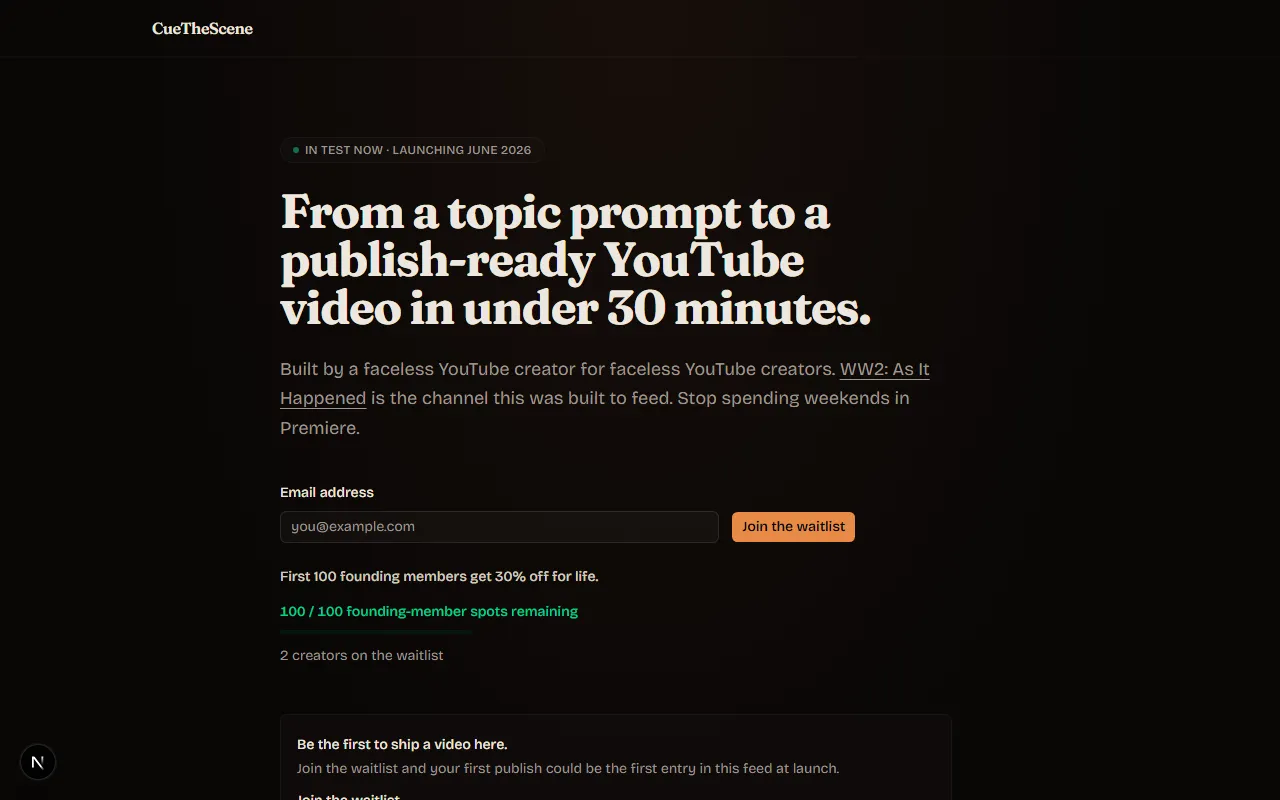
Screenshots
Real captures of the product and site. Free to use in coverage of CueTheScene.







Press contact
Press enquiries go to one inbox. We usually reply within a day or two.
As featured in
No coverage yet. It will appear here as it lands.
The CueTheScene name and logo belong to Carl Brindle. Use them per the guidance above. Do not modify them or imply endorsement.